The 7 best time tracking apps for locksmiths on iPhone, ranked for 2026
A locksmith's best-paid hour starts at 2 am with someone on a doorstep in socks. The worst-billed one is the rekey that took forty minutes longer than you said and never made it onto the invoice. Between the two are commercial accounts with a master-key system, a car lockout on a highway shoulder, and a drawer of cylinders bought on the way. The right app puts the night rate on the right call without a debate and keeps every part on the job.
In 2009 a service technician wrote a long review about how he tracked his whole day with the app: clocking in, arrivals and departures at each client, lunch, clocking out. After a couple of months of exports he could show his company how long a service call really took, and the averages became the basis for their labor charges. A locksmith who knows how long a rekey really takes quotes it differently.
This guide is for the locksmith with a van and a phone that rings at any hour. If you run a shop with several mobile techs, the field-service suites below are the right tools and I say so.
I build the first app here and have since 2008. Ratings are the US App Store numbers on the date above; facts about other apps come from their listings.
How I ranked them
I ranked for a trade with unpredictable call-outs, rates that change after dark, and small parts on every job.
- A night rate on one callThe 2 am lockout bills at a different rate from the Tuesday rekey for the same property manager. The app must override one entry, not the customer.
- Commercial accounts with several sitesA property manager or a store chain is one client with many doors. Each site needs its own place under that client.
- Parts on the jobCylinders, deadbolts, and key blanks belong to a call. A receipt pinned to it gets billed.
- Start in one motionYou are already at the door. A Watch tap or a Lock Screen button, not an app hunt.
- Customer data you keepAddresses and access details of the doors you service are sensitive. Keep them on your phone, not in a vendor database you did not choose.
The ranking
App Store ratings checked on October 15, 2026 (US App Store).
iTimeSheet
The night rate on the call, the cylinder on the job, the invoice the next morning
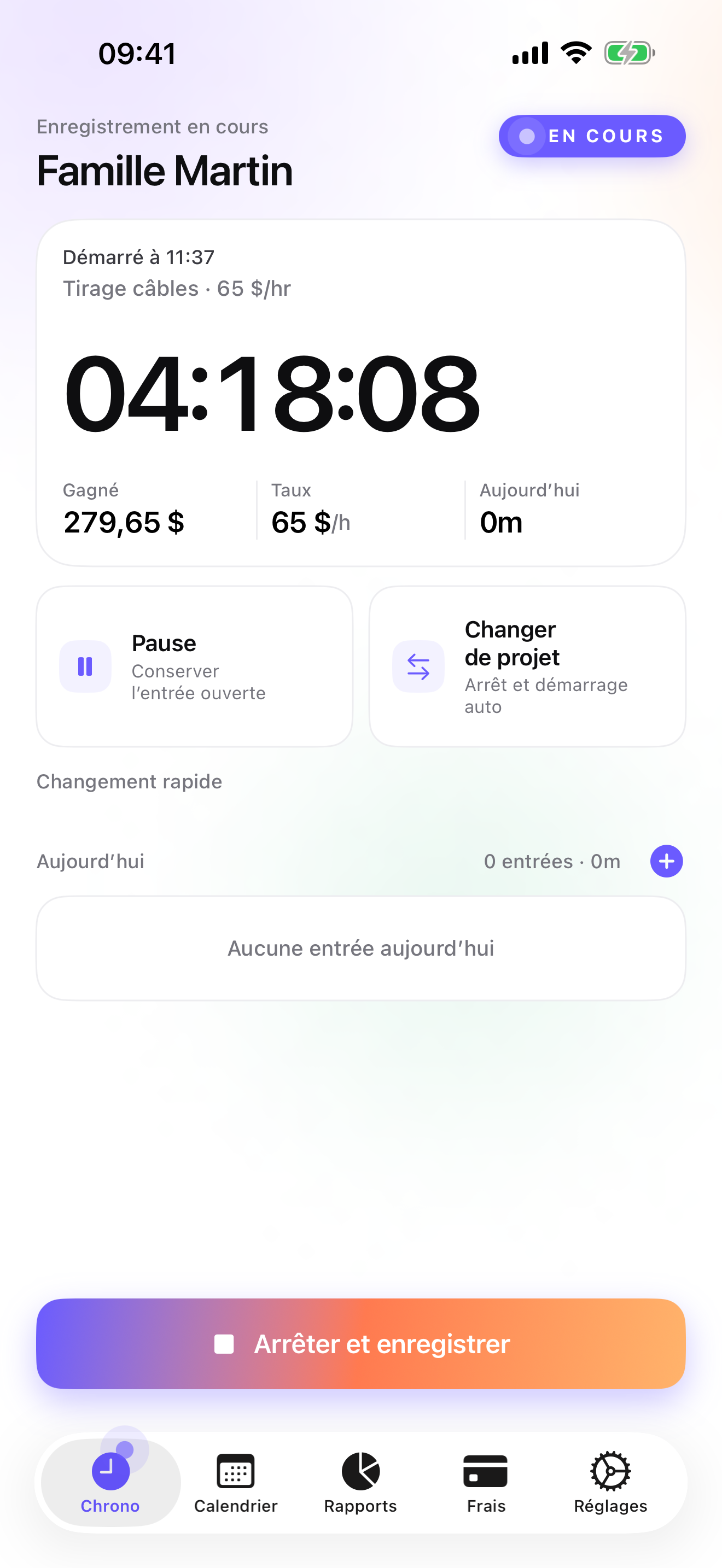
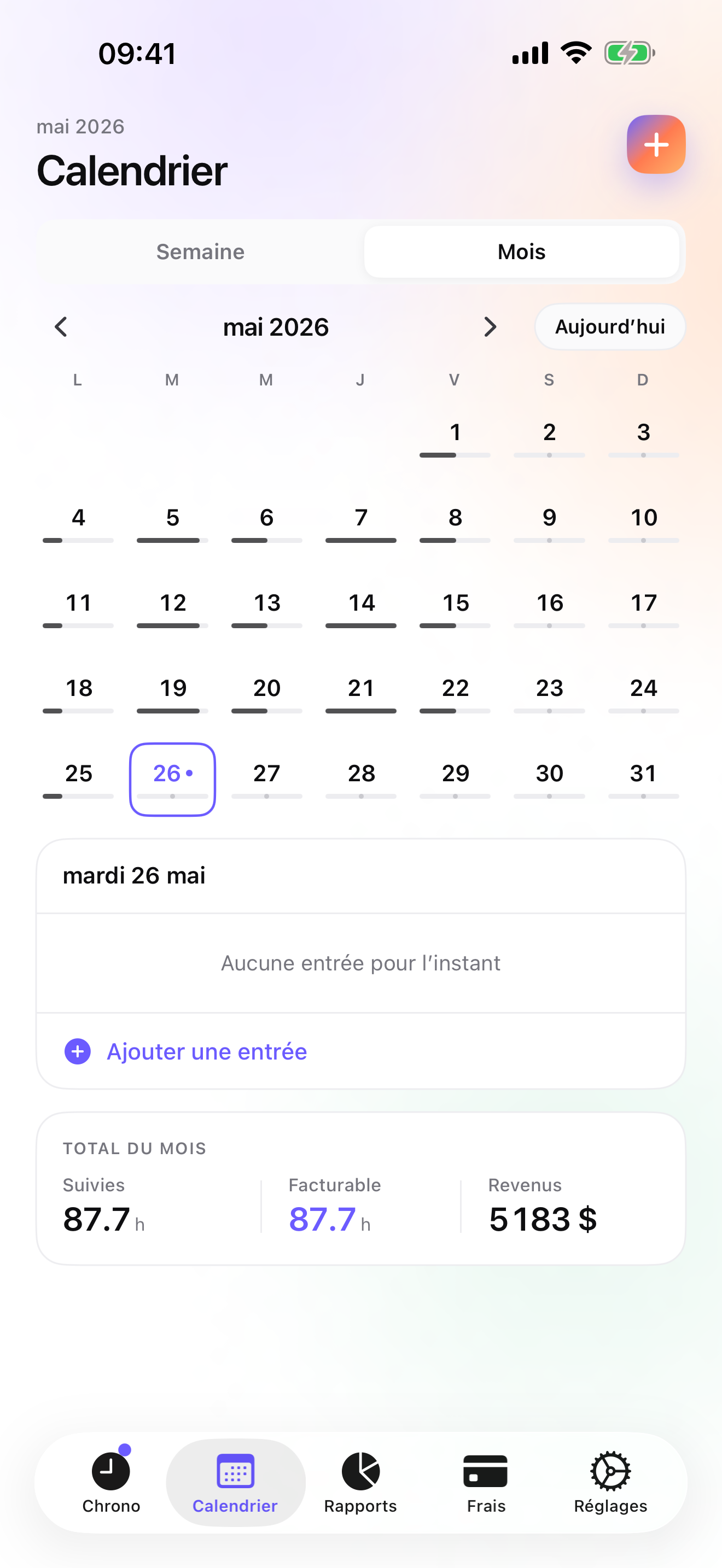
For a locksmith the Client → Mission → Task tree reads Client → Site → Call. A homeowner is a client with one site; a property manager is a client with a mission per building. Rates cascade from the client, and the 2 am lockout gets an override on that single entry. The timer starts from the Watch, the Lock Screen, or the Dynamic Island, and switching to the next call saves the previous one with its duration.
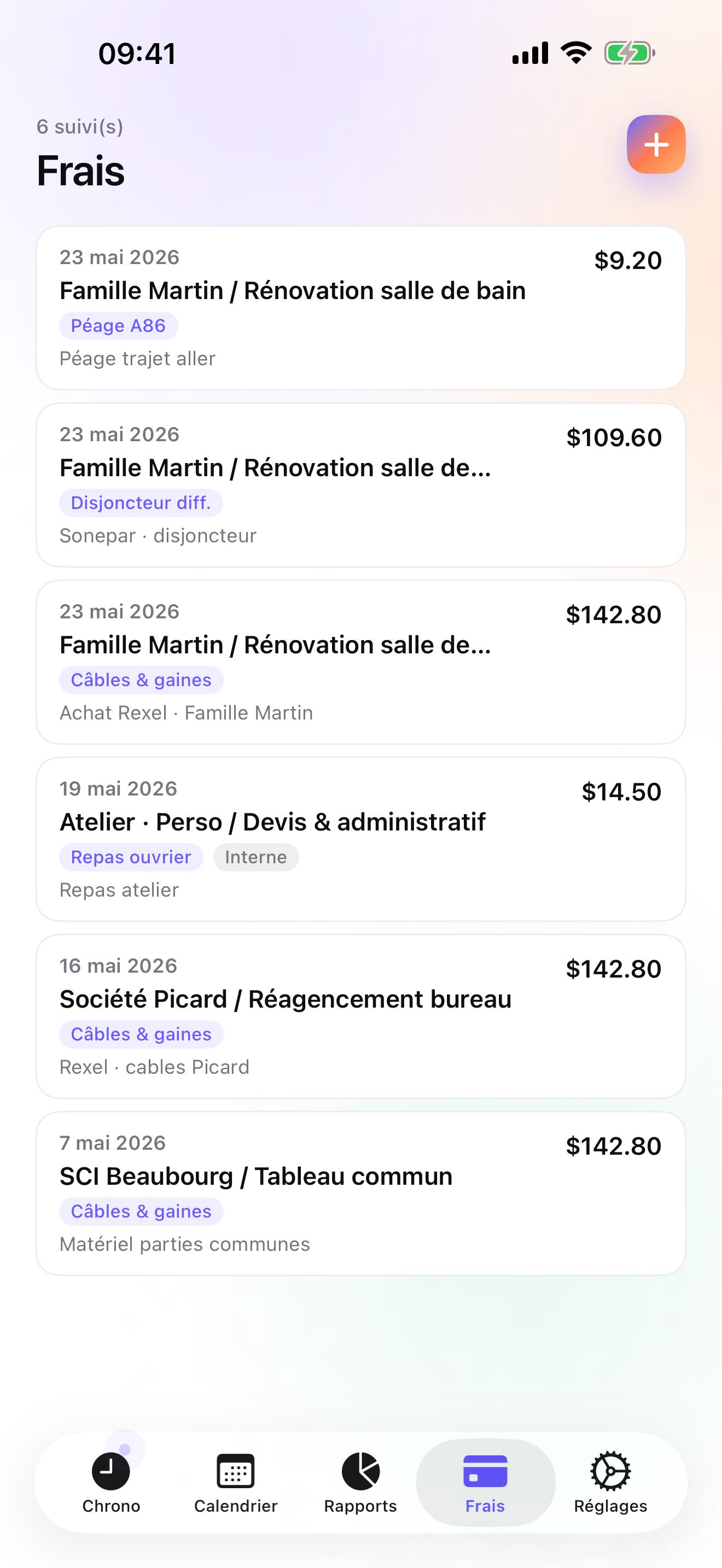
On Pro, a parts receipt is photographed and pinned to the call under a category you create once (the fourteen presets include Hardware and Mileage, which a locksmith will use). On Studio the Invoices tab shows each client's un-invoiced amount, and one tap makes the PDF with your logo, numbering, US layout, and payment details; property managers get their payment terms from the billing profile. Overdue invoices come with a pre-filled chase e-mail, and credit notes correct the ones that went out wrong.
Data lives in a local database on the phone, backed up as one file to your own iCloud Drive, daily from Essential; no account, no server on my side. The limits: no card payments at the door, no dispatch, one user, iPhone and Apple Watch only with no iPad version yet, and CSV instead of an accounting connector.
Strengths
- Per-entry rate override for night and weekend calls
- Commercial clients with a mission per site
- Receipt photos pinned to the call; Hardware and Mileage presets on Pro
- No account, no vendor cloud; addresses stay on your phone
Limits
- No card payments at the door
- No dispatch or second technician
- iPhone and Apple Watch only; no web app, no iPad yet
- One US rating since the July 2026 relaunch
Best for: A one-van locksmith who serves homeowners, drivers, and a few commercial accounts and sends their own invoices.
Pricing: Free covers 3 clients and 2 entries a day. Essential is $4.99/mo or $29.99/yr for unlimited entries, reports, export, and daily backup. Pro is $7.99/mo or $59.99/yr for receipt photos, the presets, and the Lock Screen and Dynamic Island timer. Studio is $9.99/mo or $89.99/yr for invoices; no free trial, but a watermarked invoice preview shows your real PDF first.
★★★★★ A very useful app!« I started out with the lite version & liked this app so much I purchased the full app. Im just a blue collar worker servicing 1/2 a dozen accounts a day within 100 miles of my plants location. I was having problems with overtime because my work load had been increased but I was expected to stay under 40 hours because the supervisors "thought" a certain service call "should" only take so much time. Using iTimesheet I was able to track my complete day from clocking in to work, arrivals & departures at clients, lunch breaks & clocking out at the end of the day. I then exported all this info to excel & after a couple of months I was able to complie all this information to help my company stop the guess work concerning how long it should take to service a client & make us more efficient by showing the actual service times. This created an average that we now use to determine labor cost & service charges. I came out smellin' like a rose! »
doodude · App Store review · United States · 2009

ServiceM8
Job cards for locksmiths, with staff on a map
ServiceM8 names locksmiths among the trades it was built for: job cards, quotes, staff locations, invoicing, and payments, phone first with a browser back office, on a subscription. For a shop with several mobile techs it runs the day; for one locksmith it is more than needed.
Strengths
- Trade-specific job cards
- Invoicing and payments
- Staff locations
Limits
- Subscription and account
- Vendor cloud
- Heavy for one person
Best for: A locksmith business with several mobile technicians.
Pricing: Subscription

Housecall Pro
Dispatch, booking, and payments at company scale
Housecall Pro schedules, dispatches, invoices, takes payments, and markets to customers, on monthly plans, with more than thirty thousand US ratings. Card payment on the doorstep is the thing a lone locksmith may envy; the subscription is the price.
Strengths
- Dispatch and scheduling
- Payments
- Marketing tools
Limits
- Priced for a business
- Account and vendor cloud
- Overkill for one van
Best for: A locksmith company with a dispatcher and online booking.
Pricing: Subscription

Jobber
Quotes, dispatch, and QuickBooks sync for a crew
Jobber does quotes approved online, scheduling, dispatch, invoices, card payments, and QuickBooks sync, on monthly plans built for a crew. Very well rated on the US store. It wins on teams and payments; it loses on price and data ownership for one person.
Strengths
- Online quotes and payments
- Dispatch
- QuickBooks sync
Limits
- Monthly plans for a company
- Account required
- Heavy for one locksmith
Best for: A locksmith business with several techs and an office.
Pricing: Subscription
HoursTracker
The proven hours log for an employed tech
HoursTracker tracks jobs, breaks, and pay, exports CSV, and can remind you to clock in at a saved place; more than fifty thousand US ratings. No invoices or receipts; account optional.
Strengths
- Pay, breaks, CSV
- Geofenced reminders
- Account optional
Limits
- No invoicing
- No receipts
- No client hierarchy
Best for: A locksmith employed by a company who keeps their own record of hours.
Pricing: Free with in-app purchase

Punch Time Clock
A time clock, paid for once
Punch is a simple clock-in and clock-out app with PDF and CSV timesheets and a one-time Pro purchase, no account. It has more than thirty-six thousand US ratings, but its last update was April 2025, so check it on your iOS version.
Strengths
- No account
- PDF and CSV timesheets
- One-time purchase
Limits
- No invoicing
- Last updated April 2025
- No clients or sites
Best for: An employed locksmith who wants the simplest possible punch clock.
Pricing: Free with in-app purchase

Time Tracker Pro
A new pay-once tracker with GPS and a Watch app
Time Tracker Pro is paid once, keeps data on the device, clocks in by GPS, exports PDF and CSV reports, and has an Apple Watch app. It was released in October 2025 and had no US ratings on the date above, so there is nothing yet to judge it by beyond its listing.
Strengths
- One-time purchase, no account
- GPS clock-in
- Apple Watch
Limits
- No ratings yet on the US store
- No invoicing
- Job list only
Best for: A locksmith who wants a private, pay-once hours log and is happy to try a new app.
Pricing: One-time purchase
Side by side
| App | Account required | Where your data lives | Invoices | Receipt photos | Platforms | Pricing | Rating |
|---|---|---|---|---|---|---|---|
| iTimeSheet | No | Your iPhone (your iCloud for backup) | Yes (Studio) | Yes (Pro) | iPhone + Apple Watch | Free plan, paid plans | 5.0 ★ (1) |
| ServiceM8 | Yes | Vendor's servers | Yes | — | iPhone + web/other | Subscription | 4.5 ★ (848) |
| Housecall Pro | Yes | Vendor's servers | Yes | — | iPhone + web/other | Subscription | 4.7 ★ (30,906) |
| Jobber | Yes | Vendor's servers | Yes | — | iPhone + web/other | Subscription | 4.8 ★ (21,250) |
| HoursTracker | Optional | Your iPhone; optional cloud | No | — | iPhone + web/other | Free with in-app purchase | 4.8 ★ (56,323) |
| Punch Time Clock | No | Your iPhone (your iCloud for backup) | No | — | iPhone | Free with in-app purchase | 4.8 ★ (36,264) |
| Time Tracker Pro | No | Your iPhone (your iCloud for backup) | No | — | iPhone + Apple Watch | One-time purchase | — |
App Store ratings checked on October 15, 2026 (US App Store).
A day with iTimeSheet
A day and a night for a one-van locksmith, with shipped features only.
10:00, rekey for a property manager
Timer on the Elm Street building, under the property manager client, at the commercial rate. Six cylinders from the supplier, photographed and pinned to that site.
14:30, car lockout
Switch from the Lock Screen; the rekey is saved with its hours. New client, new call, done in twenty minutes.
02:10, house lockout
Start from the Watch at the door and override this entry to your night rate. The morning will not need anyone's memory.
Next morning
Invoices tab: the property manager's invoice with hours and cylinders, the night call with its rate. One tap each; mark paid as the money arrives.
Questions people ask
Does the app work in a parking garage with no signal?
Yes. iTimeSheet keeps everything on the phone and never waits for a network. The Apple Watch queues its taps away from the phone and backdates them when reconnected. You need a connection only for the iCloud backup and the App Store purchase.
Where are my customers' addresses stored?
In a local SQLite database on your iPhone; there is no account and no server of ours, no analytics, and no ads. Backup is one file in your own iCloud Drive, daily from Essential. The App Store label lists device ID, purchases, and usage data, not linked to you and not used for tracking.
Can I take payment at the door?
Not through the app. iTimeSheet makes the invoice PDF with your payment details, routing and account, and any instructions you add, and you mark it paid when the money arrives. Card payment at the door needs a separate terminal or a suite like Housecall Pro or Jobber.
What does it cost for a one-van locksmith?
Free: 3 clients, 2 entries a day. Essential $4.99/mo or $29.99/yr, Pro $7.99/mo or $59.99/yr, Studio $9.99/mo or $89.99/yr on the US store. Studio is the invoicing tier, with no trial but a watermarked invoice preview using your real data. Subscriptions run through Apple, and cancelling never locks your data.
How do I handle a property manager with twenty buildings?
Make the manager the client, with their billing profile and payment terms, and each building a mission under it. Every call lands on its building, Reports show hours per building with drill-down, and the invoice covers whatever is un-invoiced for that client.
Verdict
For the locksmith who answers their own phone, iTimeSheet is the first install: the 2 am call carries its own rate, the cylinders sit on the job, commercial accounts keep their buildings in order, and the addresses never leave your phone.
With several techs and a dispatcher, ServiceM8, Housecall Pro, or Jobber. If you are employed, HoursTracker, Punch, or the new Time Tracker Pro keep your hours.