Hours, missions, expenses and invoices — entirely on your iPhone.
No account. No forced cloud. No cross-app tracking. Your
timesheets never leave your device, except for backup to
your own iCloud.
iOS 17 minimum EN / FR / ES iCloud backup Anonymous by default
Why iTimeSheet is different
Your hours stay yours.
Most time-tracking apps in 2026 are SaaS that require an account,
host your data on their servers, and pay for the app through
analytics. iTimeSheet is the opposite.
No account. Ever.
Download the app, it works. No email, no password, no sign-up funnel.
iCloud backup. Yours.
The optional backup uses your iCloud Drive. You see the file in Files. No iTimeSheet server in between.
No ads. No tracking. No ATT prompt.
The app doesn't ping anyone when you start the timer. No
advertising, no cross-app tracking, no advertising identifier
— so no ATT prompt at launch.
Anonymous by default.
The App Store listing declares data collected by Purchasely,
our Paris-based subscription provider — all anonymous, never
linked to your identity, never used for tracking. Several
notches above competitors.
Features
Built for people who bill by the hour.
Every feature serves the moment you look at your hours and ask
yourself: "what do I bill, to whom, and did I capture everything?"
Every plan
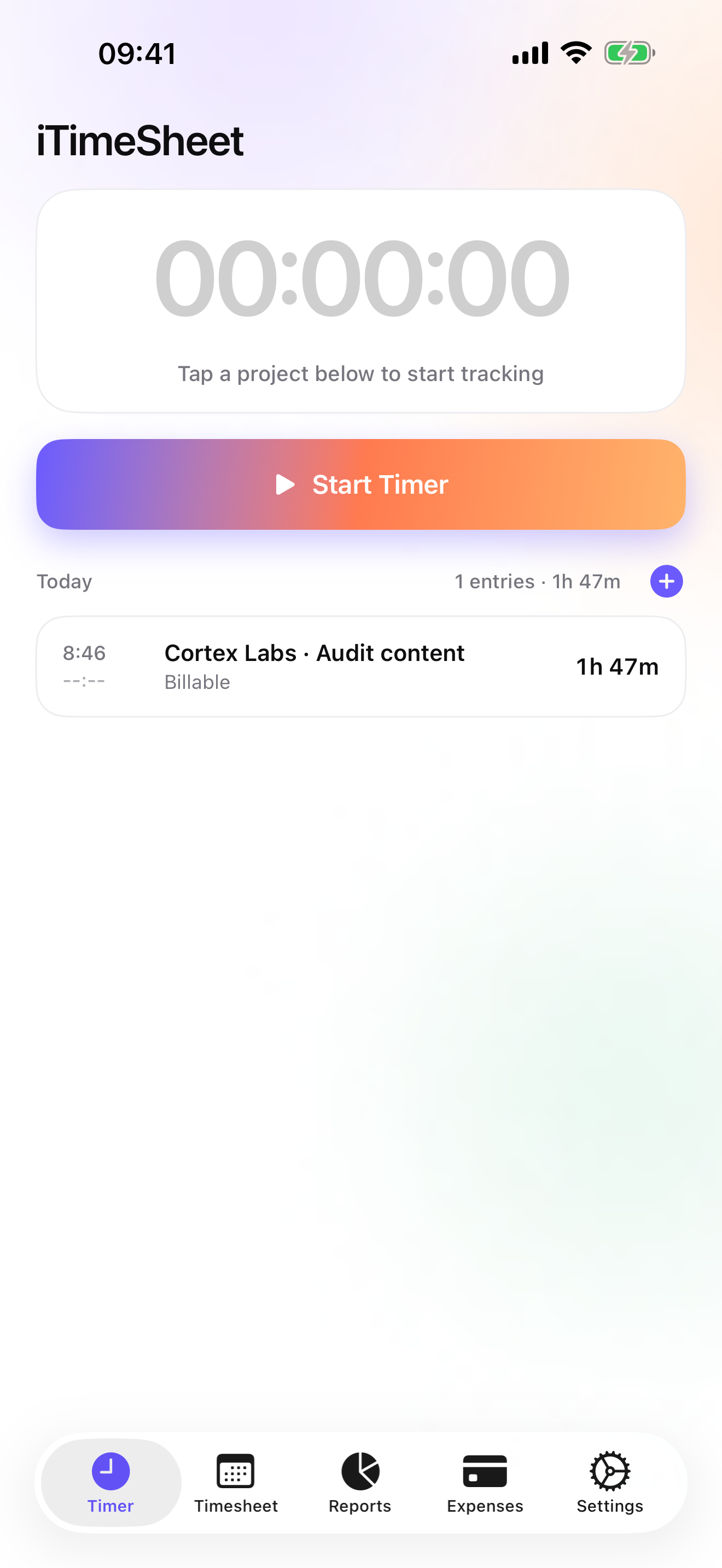
One-tap timer
Start, pause, switch missions mid-task. iTimeSheet saves the current entry and starts the next. You never lose another billable minute.
Every plan
Siri & Shortcuts
Hands full? Say “Start Acme Studio in iTimeSheet” and the right client starts billing, app closed. Every action is also in the Shortcuts app. What to say →
Every plan
Control Center & Action button
Add the iTimeSheet control to Control Center, the Lock Screen or the Action button. One press starts the timer, another stops it. Pin a client to a control to start that client directly.
Every plan
Clients in Spotlight
Type a client's name in Spotlight and open it in iTimeSheet. Rather keep client names out of system search? One switch in Settings.
Every plan
Apple Watch
Start, pause, resume and stop the timer for your last project from your wrist. A complication puts one-tap start on your watch face.
Pro
Widgets & Live Activity
Start and stop from the Home Screen and the Lock Screen, follow the timer in the Dynamic Island. One widget per client: one tap starts billing that client.
Every plan
Day, week and month
A day grid with daily bars to see at a glance which weeks were full, light or crushing. Tap a day to inspect its entries.
Every plan
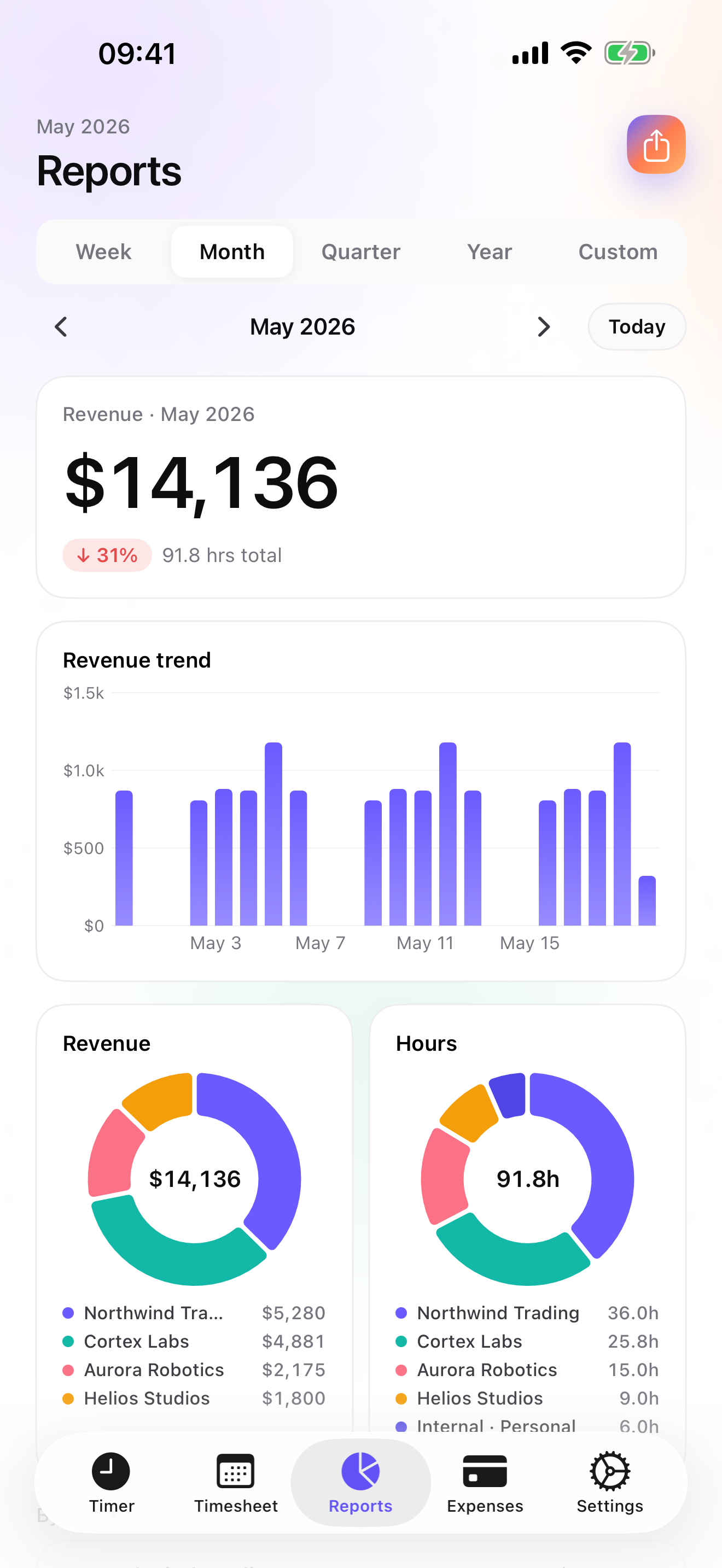
Interactive reports
Revenue and hours per client, each client in its own color everywhere. Essential adds the drill-down to each mission, custom date ranges and the period-over-period delta.
Essential
Expenses on the job
Expenses pinned to the right mission, with your own categories. Pro adds photo receipts and 14 ready-made categories: mileage, train, hotel, meals and more.
Studio
Invoices, start to paid
See what's left to invoice per client and generate the invoice in one tap. Quotes, deposits, credit notes, sequential numbering, per-country legal mentions, overdue reminders, mark as paid.
Essential
Export your way
A formatted PDF timesheet, or CSV with your own columns, order, formats (date, duration, currency) and separator.
Essential
Apple Calendar
Your entries pushed to the Apple Calendar of your choice, to see your billable hours next to your meetings. No third-party provider.
Every plan
iCloud backup
A single file in your own iCloud Drive. Restore on a new iPhone in one tap. Essential backs up automatically, every day. No vendor cloud.
Every plan
Reminders
A native iOS reminder to log your time, day by day, at the hour you pick. No email, no account.
Every plan
iPad, in two columns
Timer, Timesheet, Reports and Invoices open in two columns: the month next to the day, the clients next to the report.
Every plan
Ready for iPhone Duo
Both displays, folded or unfolded. Two columns on the inner display, kept clear of the fold.
Siri
What to say to Siri.
No setup: these phrases work as soon as iTimeSheet is installed. Say the client's name as it appears in the app.
Every plan
“Start Acme Studio in iTimeSheet”
The timer starts on that client's last task and its Live Activity appears. Another timer running? It is saved first.
Also: “Clock in Acme Studio with iTimeSheet”
Every plan
“Start iTimeSheet”
No client named: the timer starts on the last task you worked on.
Also: “Clock in with iTimeSheet”
Every plan
“Stop iTimeSheet”
The entry is saved with the time you stopped it.
Also: “Clock out with iTimeSheet”
Every plan
“Pause iTimeSheet” · “Resume iTimeSheet”
A phone call, a lunch break: the timer waits without losing a minute.
Every plan
“How much did I bill today in iTimeSheet”
Siri answers with today's billed hours and amount, and which client the timer is running for.
Also: “My day in iTimeSheet”
Studio
“What's left to invoice Acme Studio in iTimeSheet”
The hours and expenses not invoiced yet for that client. Without a client, the total and the client who owes the most.
iPhone locked? Siri asks you to unlock it first: your hours are protected on the device.
Shortcuts app. Every action is there, with a client picker, to build your own shortcuts.
Action button. Settings → Action Button → Controls → iTimeSheet: one press starts or stops the timer.
The structure that fits the trade
Client → Mission → Task. With a rate that cascades.
The only iOS app that combines a three-level hierarchy with an
hourly rate that propagates. Set $130/hr on a client: every
mission, every task, every entry inherits it. Unless you override
it at a lower level.
Need simpler? Switch to Client-only or
Project-only. iTimeSheet hides the levels you
don't use. Contractors track by job site; lawyers by matter;
consultants deploy all three.
For every trade
iTimeSheet adapts to the way you bill.
Six configurations depending on your trade. Tap the one that fits — each page shows how to set up the hierarchy, reports and exports for your case.
Free to start. Three tiers to scale with your work.
Essential for timesheets and exports. Pro lets you log every hour
without opening the app — Home Screen widgets, Lock Screen, Dynamic Island — plus expenses with photos.
Studio adds PDF invoices with your logo. And the Apple Watch app is included on every plan: start,
pause, resume and stop the timer without ever reaching for your phone.
VAT collected by Apple where applicable. Cancel anytime in Settings
→ Apple ID → Subscriptions.
I wrote the first version of iTimeSheet in 2008, on an iPod Touch,
because I wanted to track my consulting hours without some company
forcing me to create an account. 18 years later, the app has
survived ten iOS versions, the collapse of five SaaS competitors,
and the steady trust of a few thousand freelancers around the world.
v5 is the version I've wanted to write since the very beginning.
— Jeff Grang, building iTimeSheet since 2008.
Frequently asked questions
Everything people ask us before they buy.
Is my data really mine?
Yes — for your business data. Hours, clients, missions, expenses
and photos stay on your iPhone, with optional backup to
your own iCloud Drive, visible in the Files app. Nobody
else holds a copy.
Only your subscription status is kept, by our
processor Purchasely (Paris), so you can restore it when you
change iPhone or reinstall the app — an anonymous device
identifier, never linked to your identity. Details in the
privacy policy.
Does the app work offline?
Entirely. No feature depends on the network — timer, manual entry,
reports, export, local backup. The optional iCloud sync simply
waits until you are back online. This is built for job sites,
trains, planes and underground car parks.
What happens if I stop paying?
The app falls back to the free tier. Your historical data stays
intact and readable. If you had more than 3 clients, or days with
more than 2 entries, you can still look at all of them — you just
cannot edit them or create new ones beyond the cap until you
subscribe again. No data is ever deleted because you stopped
paying.
Is there a Mac, Web or Android app?
No, and that is deliberate. iTimeSheet is a native iOS app written
in SwiftUI that uses the iPhone properly (Liquid Glass, EventKit,
PhotoKit, StoreKit 2). A Web version would demand a cloud, an
account and a sync layer — precisely what we avoid. The widgets
(Home Screen, Lock Screen, Dynamic Island) are available today on
the Pro tier, and the Apple Watch app — included with every plan —
starts, pauses and stops the timer from your wrist, even with your
iPhone out of reach.
I'm coming from an old version of iTimeSheet — will my data carry over?
Yes. v5 keeps the same bundle identifier, so the App Store app
finds your existing database and migrates it on first launch.
Every long-time user — some since 2008 — arrives on v5 with their
full history intact.
Does it create invoices?
Yes — a complete invoicing workflow, available today on the Studio
tier: a dedicated Invoices tab (amount pending per client, history
filtered by Draft / Unpaid / Paid), automatic sequential
numbering, quotes convertible to an invoice in one tap, deposit
invoices, credit notes, per-country legal mentions, bank details
(IBAN/BIC or routing/account) and overdue reminders. Every paid
tier also exports hours and expenses to CSV/Excel, ready for your
accounting software. Still on the roadmap: multi-device sync,
customisable invoice templates and a QuickBooks export. And the
headline promise of v5 holds — all of it on your device, with no
account and no forced cloud.
How does it sync with my calendar?
A one-way push to the Apple calendar of your choice, via EventKit.
Your time entries show up as events in Calendar, on Apple Watch
and on every Apple device signed in to your iCloud. No third-party
provider, no OAuth token, no risk of leaking to Google or
Microsoft.